A manually started content scan
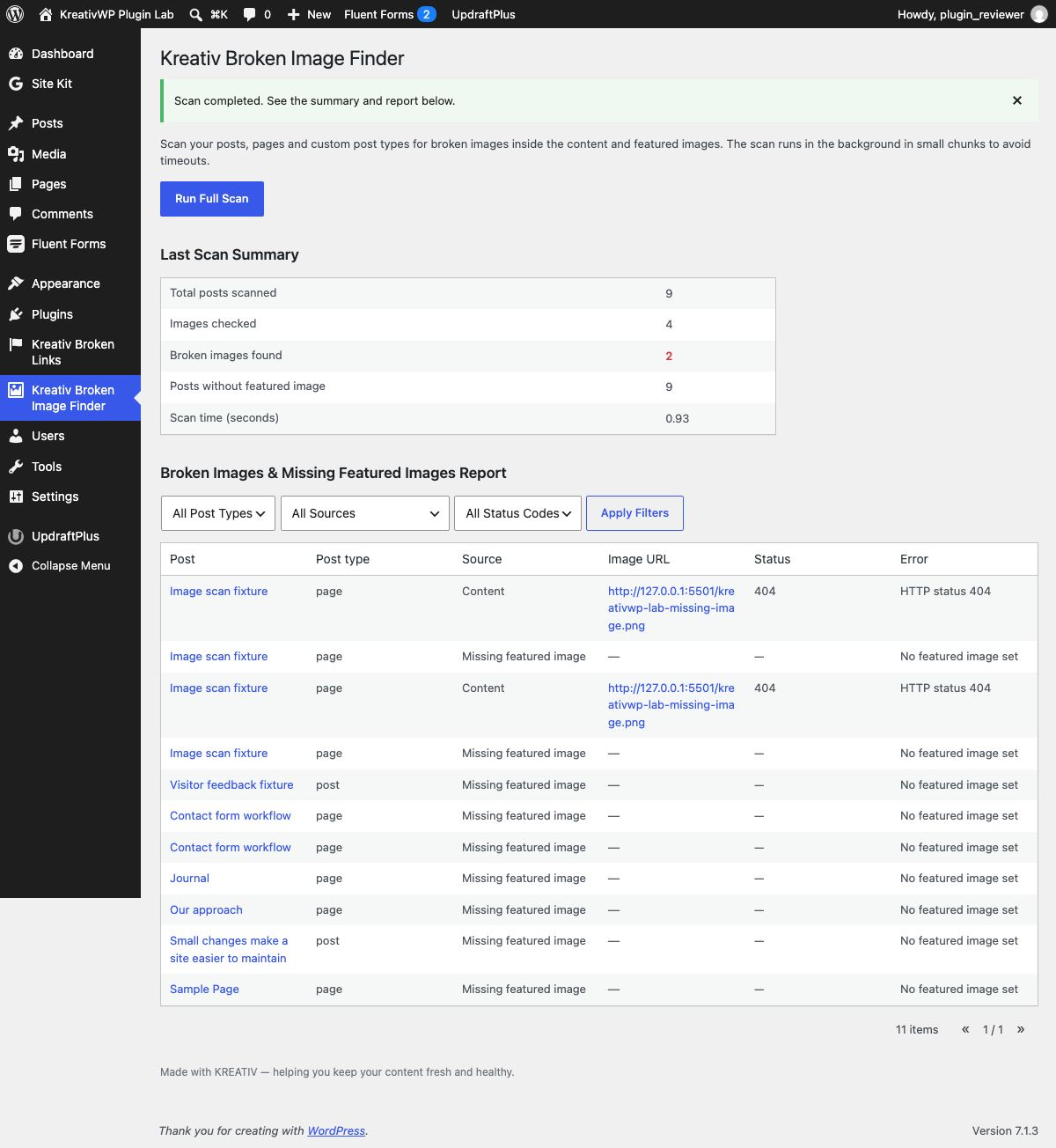
Checks image source URLs in published content and featured images using HTTP HEAD requests. It does not inspect every CSS background, responsive image variant, or external page.

Free plugin · made by Andrei
Catch missing images early and keep content quality high across your site.
Try it on staging first. Need a hand? Email me. Include the plugin version, WordPress version, and what happened—not passwords.
Checks image source URLs in published content and featured images using HTTP HEAD requests. It does not inspect every CSS background, responsive image variant, or external page.
See affected content, response codes, and missing featured-image entries. Results help locate problems; verify a blocked request before treating it as a missing file.
The plugin runs when you start a scan in the dashboard. Plan periodic checks after migrations or content changes. Large sites and image servers that block HEAD requests need extra care.
These notes describe this website, not plugin release versions. See the official directory for the plugin changelog.
Plugin page copy and public metadata were refreshed to align with the current Kreativ WP maintenance positioning.
The plugin page now points to a dedicated update post so visitors can move from the plugin page into concrete release context.